
Recoveryfix Outlook PST Repair
Repair Corrupt PST Files and Restore Outlook Mailbox ItemsRepair corrupt, inaccessible, or damaged PST files with the Outlook PST Repair tool. Recover mailbox items, including emails, contacts, calendars, attachments, journals, and tasks. Preview recoverable email messages before saving them to a PST file.
- Save repaired PST files to MSG, DBX, EML, and other formats.
- Recover PST file data and save to Outlook or Outlook Express.
- Preview mailbox emails before repairing PST files.
- Restore deleted emails from the corrupted PST files.
- Repair encrypted or password-protected PST files.
- Split large sized PST files after repair.
- Use prefixes in file names to identify repaired PST files.
- Supports all major versions of Microsoft Outlook.
- Download free trial to evaluate software features and save up to 30 items per folder for free.
When Should You Use Recoveryfix Outlook PST Repair Tool?
Access Emails from a Corrupted PST File
Sudden power outages, system crashes, and other issues can corrupt PST files. The PST file repair tool repairs corrupted PST files and recovers emails, contacts, calendar items, attachments, tasks, and journals.
Recover Missing or Lost Outlook PST Data
Recover emails and folders lost due to accidental deletion or PST file corruption. The PST Repair tool recovers deleted PST data and saves supported file formats or export it to email servers such as Lotus Domino and Exchange Server.
Improve Outlook Performance
Oversized PST files can cause Outlook to freeze or slow performance. The Outlook PST Repair tool helps fix oversized PST files by splitting them into smaller files ranging from 1 GB to 3.5 GB.
Repair PST files in 5 Simple Steps
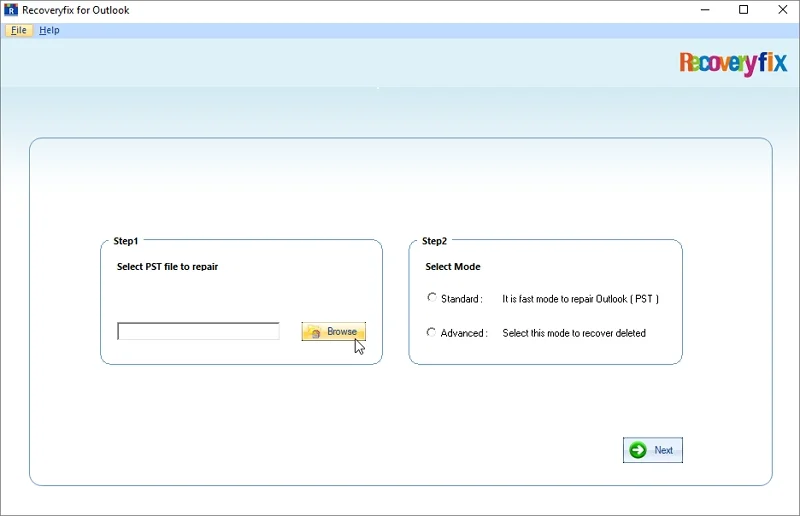
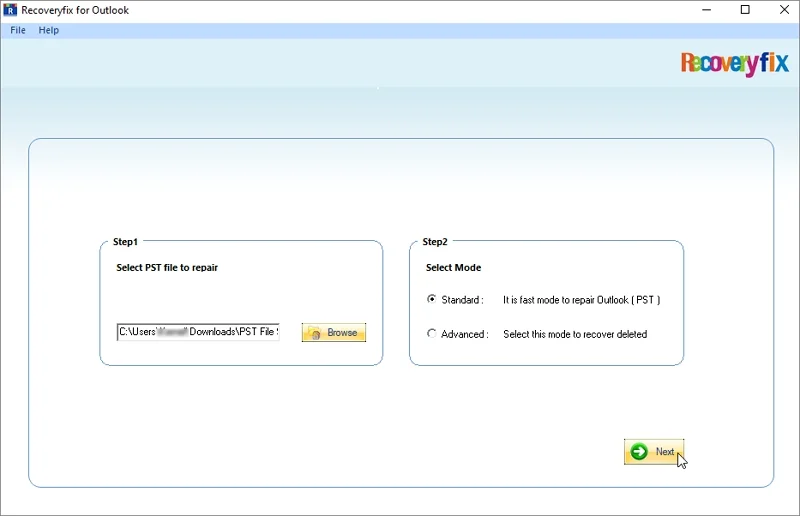
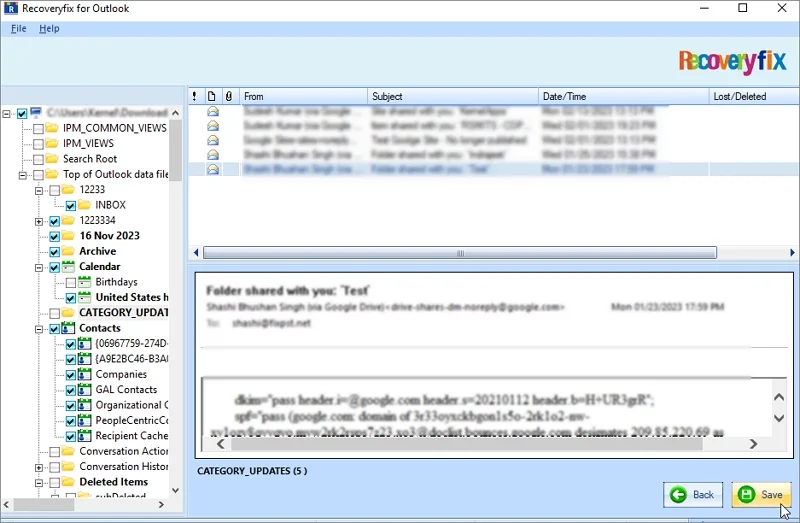
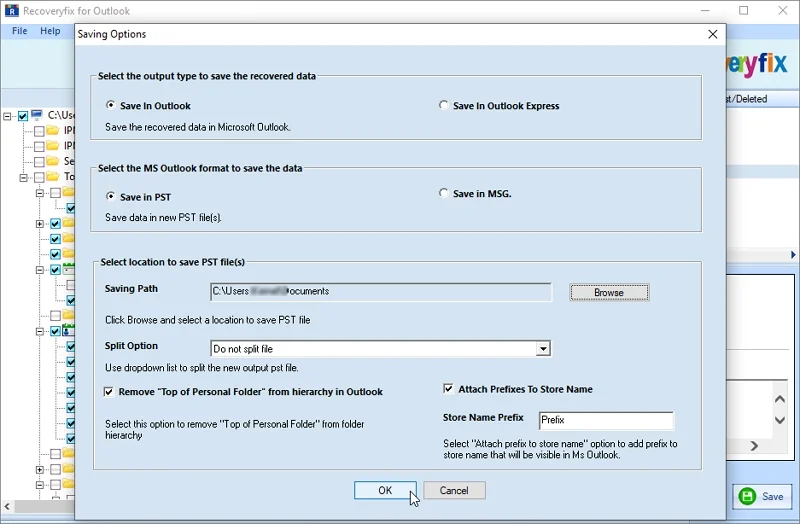
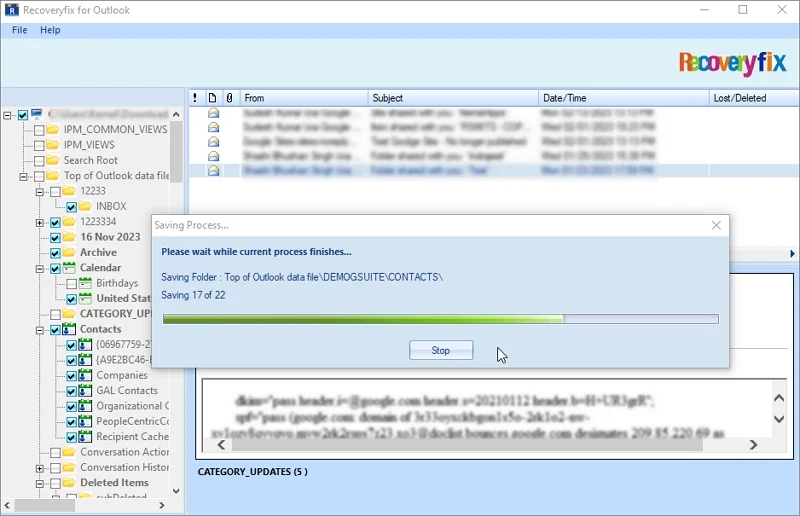
Recoveryfix Outlook PST Repair Tool: Top Features Highlighted
Explore the best features of the software and know that how Recoveryfix helps to fix severely damaged PST files easily.

Repair Large Corrupted PST Files
Repair large sized corrupted PST files without file size restrictions. The PST Repair software securely scans and repairs PST files of any size.

Fix Password-Protected PST Files
Repair password-protected PST files easily by adding to the software. The Outlook Repair Tool maintains the UNICODE and ANSI characters of the PST files intact throughout the process.

Locate Items with Advanced Search
Find specific mailbox items using the advanced search feature. Use different parameters, such as from, to, subject, received before, receive after, and attachments.

Restore Deleted PST Files Data
Retrieve deleted or corrupted Outlook emails instantly. The PST Repair tool allows to restore accidentally or permanently deleted data from PST files.

Save PST Files to Different Formats
Repair and Save healthy PST files into MSG, DBX, and EML formats.. This PST file repair software helps to save emails, contacts, calendars, and other data in original formatting and structure.

Manage Repair PST Files
Fix oversized repair PST files with the help of the Split PST option. Use the PST Repair tool to split large PST files to improve Outlook performance. Also, attach a prefix name to identify the resultant files easily.
What Makes This PST Repair Tool Stand Out From Others?
Check out the top benefits of the software to know why it is the best:
- Supports all Outlook PST versions and works on all major Windows operating systems.
- Restore accidentally or permanently deleted emails from each folder.
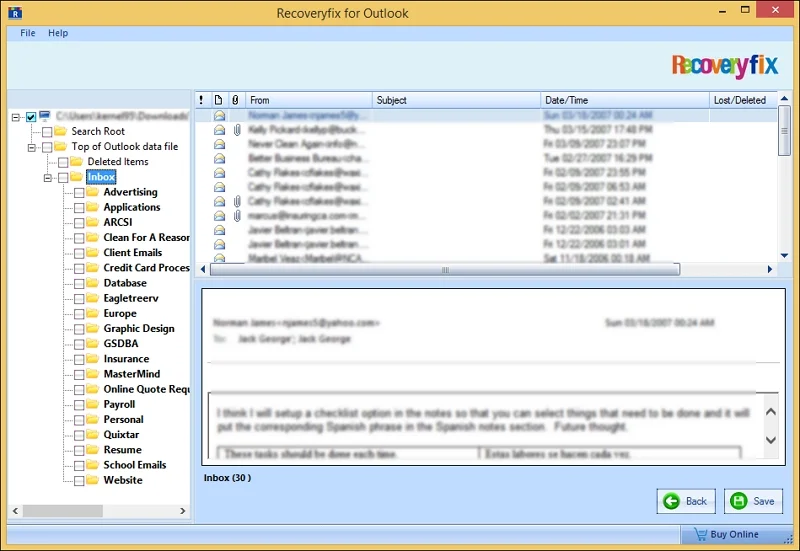
- Provides a clear preview of folders and email content before saving.
- Keeps original folder structure, metadata, and email properties intact.
- Repairs large and multiple PST files without stuck or freezing.
- Retains folder structure, emails, contacts, calendars, attachments, journals, and tasks.
- Repairs PST header corruption, oversized files, inaccessible mailbox items.
Free Vs Licensed Version:
Evaluate both versions of the Outlook PST Repair software to find the most suitable one for yourself. 
| Software Features | Free version | Licensed Version |
| Fix corruption from Outlook PST files | ✔ | ✔ |
| Retrieve deleted emails from PST files | ✔ | ✔ |
| Export PST to MSG or other file formats | ✔ | ✔ |
| Split Resultant PST files into small parts | ✔ | ✔ |
| Folder Selection for precise output | ✔ | ✔ |
| Repair unlimited items per folder | 30 items per folder | Unlimited items |
Download Free  |
Price $49 |
Frequently Asked Questions
Get the quick solutions to all the common queries related to PST repair software.
What is Recoveryfix PST Repair Tool, and when is it needed?
How do I repair a corrupted Outlook PST file?
Is it possible to repair a PST file without Outlook installed?
Can I repair a PST file using the Inbox Repair Tool (SCANPST.EXE)?
Does it repair password-protected or encrypted PST files?
Can I repair a large PST file without losing data?
Does the software offer a free trial version?
How safe is the repair process for my original PST file?
How can I repair a PST file that Outlook cannot open?
Can I recover deleted emails from a corrupted PST file?
What is the maximum PST file size supported by the repair software?
How can I preview and save repaired PST data to a new file?
What customers say about PST Repair Tool
 Aldert Geelen, Netherlands
"I was very worried about losing my important Outlook emails as my PST file got completely corrupted due to a sudden hardware crash. I was searching for options to recover my data, then I found out about this Outlook PST Repair software that helps to repair multiple PST files and recover data. I tried my luck, and the results were amazing. It not only recovered my crucial emails but also allowed me to save them in new PST or MSG other email formats. Great experience!"
Chen Haan, Taiwan
"A few days back when, I wanted to take out some contact details saved in my Outlook PST file, but it was inaccessible due to corruption. This PST repair tool helps me to regain access to my contacts without causing any data loss and through a smooth process. I was impressed by its smart scans to repair inaccessible PST files and then recover the entire data."
Lucas Roger, Chicago
I experienced a severe virus attack, which caused damage to my data stored in Outlook PST files. My PST files were very oversized, so I wanted a secure way to ensure data protection. I trusted this tool for my Outlook PST repair procedure, and I was shocked to see that it recovered and saved my data from large files to small PST files. This split file feature is incredible!