How to open and view corrupt EDB files [Free]

Updated On - September 12, 2024
EDB is the file format of the Exchange Server Database. The database contains various mailboxes of different users who have an account in MS Exchange. Each mailbox has important emails, sent emails, attachments, contacts, notes, calendar details, etc.
If EDB file is in a healthy state, it can be easily mounted & viewed using Exchange Server tools, like Exchange Management Shell or Exchange Admin Center.
However, when there is an issue with the Exchange Server mailbox, users need to know the location of the EDB files to run the troubleshooting methods so that they can view EDB files hassle-free.
Here is the list of the locations of the EDB files in the different versions of Exchange Server:
Exchange Server 2019 and 2016
C:\Program Files\Microsoft\Exchange Server\V15\Mailbox\Database.edb >
Exchange Server 2013
C:\Program Files\Microsoft\Exchange Server\V15\Mailbox\Database.edb >
Exchange Server 2010
C:\Program Files\Microsoft\Exchange Server\V14\Mailbox Database\Database.edb >
Exchange Server 2007
C:\Program Files\Microsoft\Exchange Server\Mailbox\First Storage Group\Database.edb >
Exchange Server 2003
C:\Program Files\Exchsrvr\MDBDATA\Priv1.edb >
Need to know the location of the Exchange EDB file: Why?
Many reasons compel you to go and check the location of the EDB file, such as:
- When Outlook has lost the connection with Exchange Server and shows an error related to your mailbox account.
- When you are unable to access your emails, attachments, contacts, and want to convert EDB files to another format.
- When your database is removed, and you need to export it again.
- When your EDB file is corrupt, you want to take a manual backup of mailboxes; at that time, the user needs to know the location of the EDB files.
- Sometimes, the mailbox database deletes from the record, and data gets leaked, so in that situation the user needs again to locate it.
- When the user wants to migrate data to another destination, users’ needs to know the location of the EDB file.
Know the common causes of EDB file corruption
If you want to view corrupted EDB files, you need to identify the cause of their corruption. We have mentioned some common ones:
- Unexpected or forced server shutdown.
- Disk errors, bad sectors, or storage device failures.
- As the storage limit exceeds, the corruption chances increase.
- Malware or virus attacks can alter or damage database files.
- Missing or damaged transaction logs can hamper the recovery process.
- Improper Exchange server termination can corrupt database integrity.
After effects when an EDB file gets corrupted
Explore the effects that users can face when their EDB files get corrupted:
- Mailbox access failure
- Missing emails or folders.
- Improper server performance.
- Synchronization issues with Outlook.
- Exchange database mounting failure.
Can you open corrupt EDB files directly?
It is not possible to open EDB files directly using Outlook or Exchange Server if they are in a corrupted state. As a result, you will not be able to work on Exchange Server, and the email communication will stop even if you are unable to send/receive emails and are on the verge of data loss.
To take control of the data back to you, you need to repair the EDB file, retrieve the data, and save it into a safe file.
Check Database Health:
eseutil /mh “C:\Path\To\Your\Database.edb”
Run the command & check health status by
Clean shutdown: Database is healthy.
Dirty shutdown: The database needs to be repaired.
Soft Recovery (Safe): Use when log files are available & intact.
eseutil /r E00 /l “C:\LogFolder” /d “C:\DatabaseFolder\Database.edb”
Hard Repair (Data Loss Risk):
eseutil /p “C:\Path\To\Your\Database.edb”
It is the repair command. Follow with eseutil /d for defragmentation afterward.
An automated tool to open and view corrupt EDB file
If your EDB file is healthy and there is a problem with the Exchange Server, then in this case, you need to convert EDB files to PST format and then open them in Outlook. If the case is different and your EDB file is corrupt, then the only solution to view & repair corrupt EDB file is with the help of a third-party tool.
Recoveryfix for Exchange Server Recovery is a tool that can provide you with a full-time solution for your Exchange Server-related issues. It saves your time, which you invested in the manual method, and provides easy-to-use steps to recover or migrate EDB mailboxes.
With the help of the tool, you can recover, migrate, export mailboxes from corrupt or healthy EDB files, and create a backup of the file. There are several benefits of the tool, one of which is that you can open or view corrupted EDB files for free. Let’s see how it works.
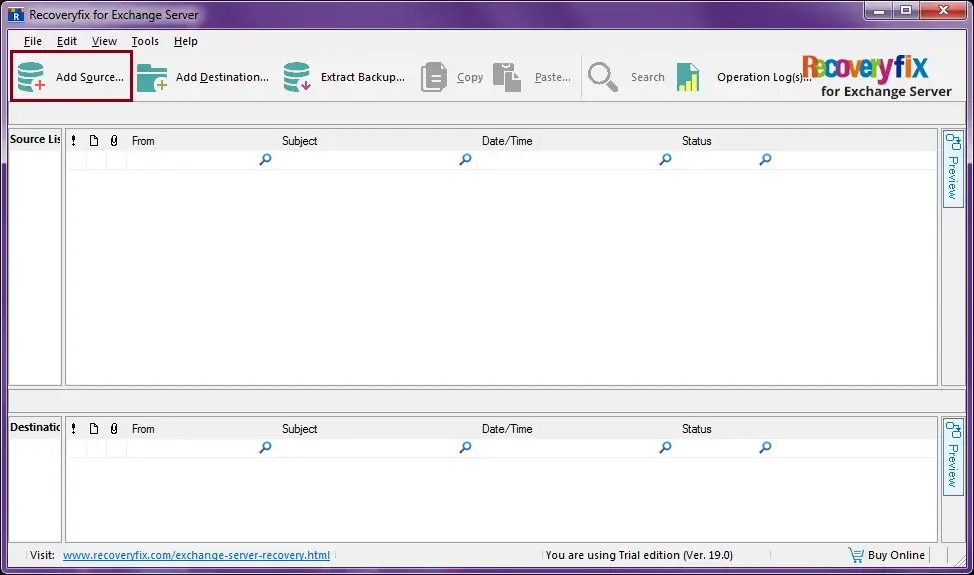
- Install the software in your system and click on Add Source.
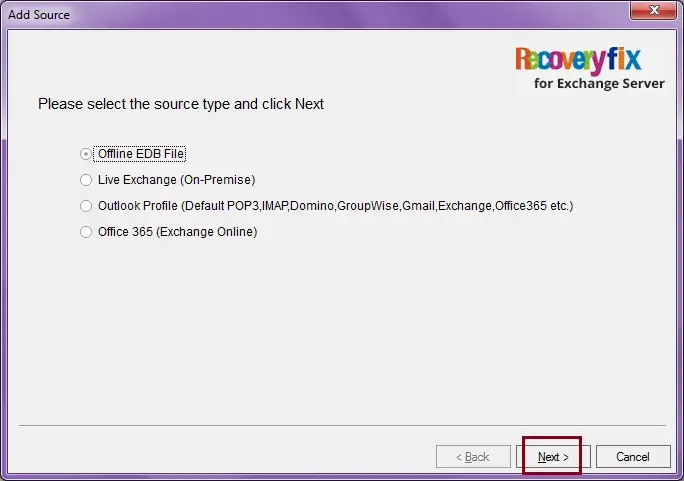
- Choose the Offline EDB file, and then press Next.
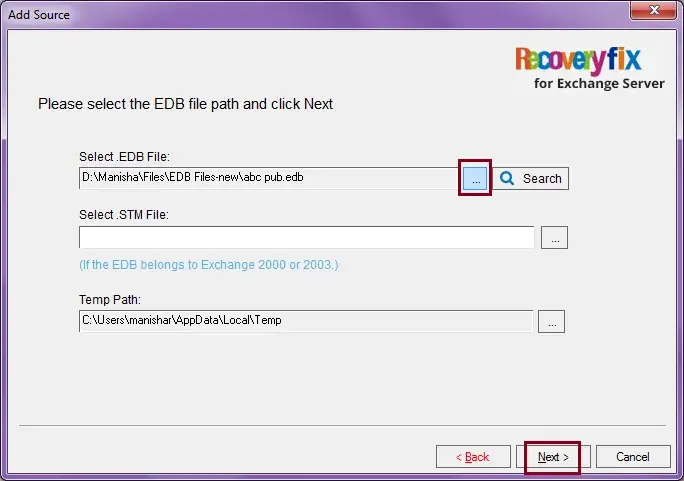
- After that, click on the three dots to browse the file, then select the corrupt EDB file and click on Next.
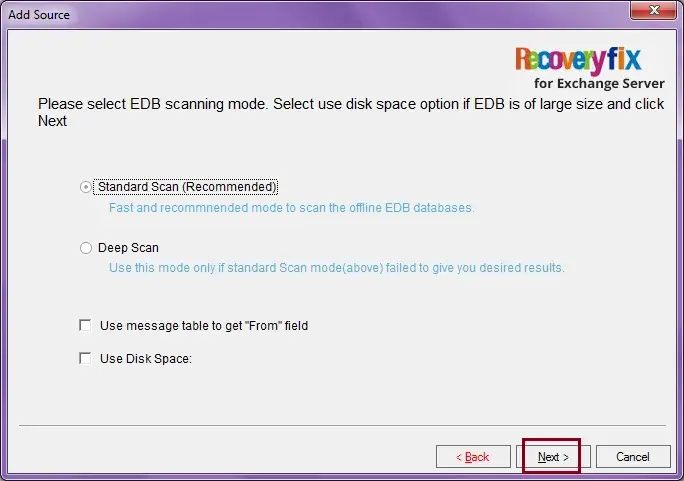
- Select the EDB scanning mode, choose Standard Scan (Recommended), and then click on Next.
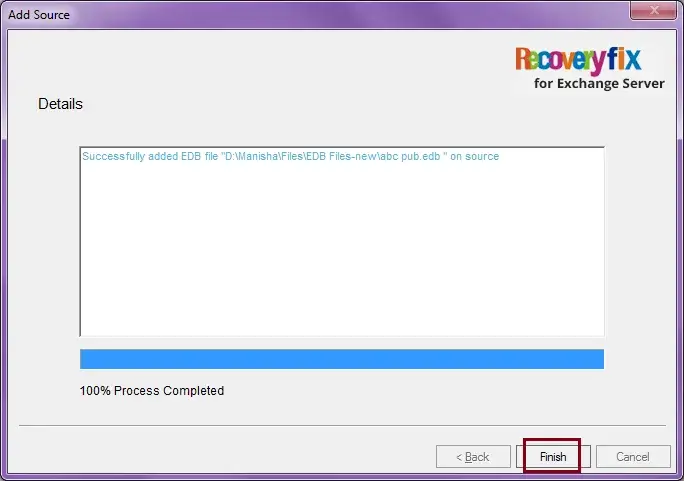
- Once the EDB file is added successfully, click on Finish.
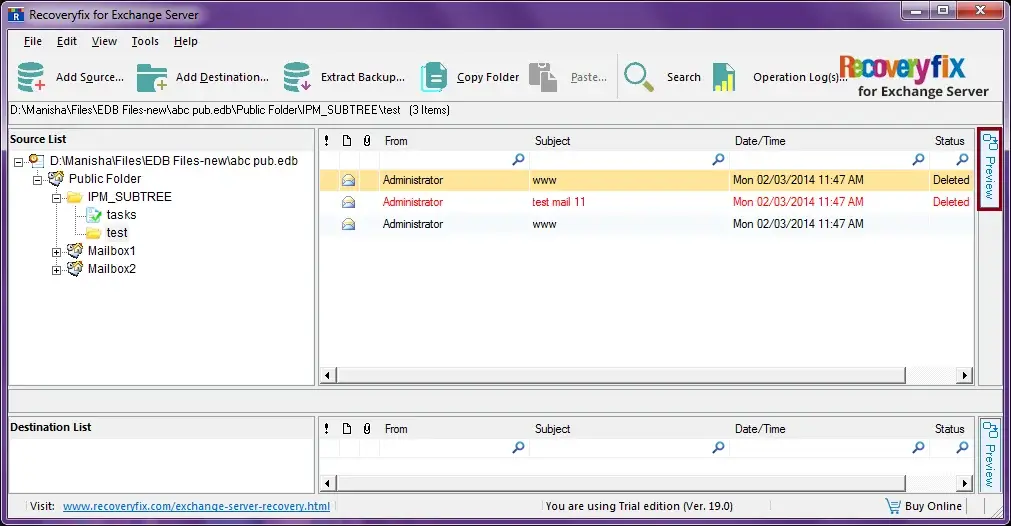
- Select the items you want to view and click on the Preview button in the right corner of the screen.
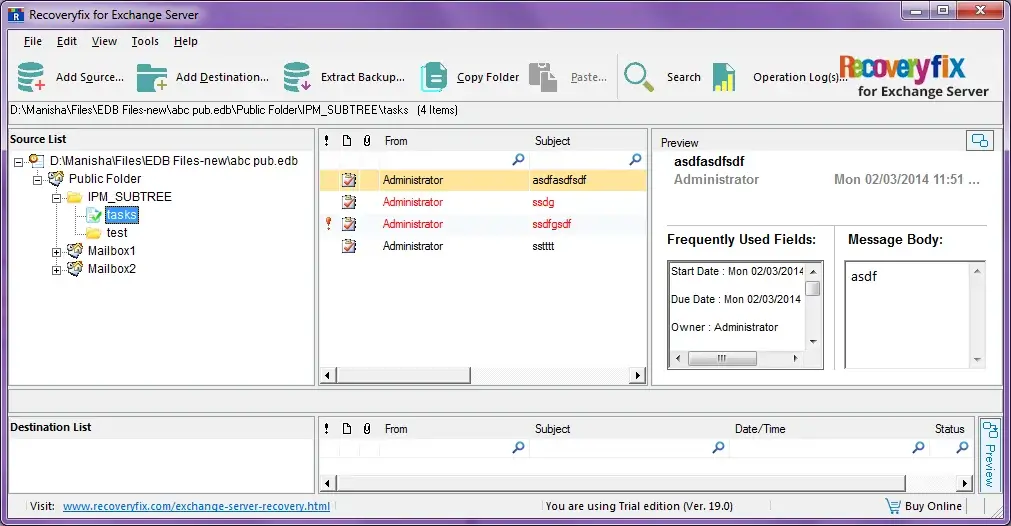
- Preview the Exchange EDB files for free.
Note: If the EDB file you are using is large in size, then select the ‘Use Disk Space.’
Best practices to prevent EDB file corruption
Let’s understand the best practices that can prevent EDB file corruption in the future:
- Avoid faulty storage hardware devices.
- Maintain proper shutdown procedures.
- Monitor Exchange server health regularly.
- Maintain regular backups & keep them updated.
- Keep Exchange updated & monitor database sizes.
Conclusion
In this article, we have discussed how we can open corrupt EDB files with the help of Recoveryfix Exchange Server Recovery. We have also discussed how we can view EDB file manually, but that is applicable only if your EDB file is healthy. If your EDB file is corrupt, then the manual method may not help, so to tackle the problem further, you will need the automated method to view it.
FAQs: Frequently Asked Questions
Q- Can I open corrupt EDB files without an Exchange server?
A- Yes. But not directly. You need to repair EDB file first & then convert it into portable format like PST to access it without Exchange Server.
Q- I am using Eseutil to repair corrupt EDB files. Is it safe?
A- Eseutil is the trusted utility provided by Microsoft Exchange Server. So, you can trust it for repairing the EDB files.
Q- Can Outlook open EDB files directly?
A- No. You need to convert EDB files to an Outlook-supported file format, i.e., PST, to access the EDB file in Outlook.
Q- What happens when I don’t repair corrupt EDB file?
A- If left unrepaired, you can lose crucial emails. Besides, Exchange database mounting may fail, & mailbox data may become permanently inaccessible.