OLM to Proton Mail: Know The Top Ways

Published On - June 5, 2026
Your Outlook for Mac mailbox [OLM file] holds more than just emails, as it contains important conversations, attachments, contacts, and folders that you may still need after switching platforms.
So, when moving to Proton Mail, one of the biggest concerns is how to transfer data stored in an OLM file without losing its structure or accessibility.
Since Proton Mail supports EML or MBOX file format, the migration process can seem confusing at first. This article has the top ways to perform an OLM to Proton Mail migration efficiently.
Why Do Users Look to Migrate OLM to ProtonMail?
The import OLM to Proton Mail account process can help users in different ways, like:
- Secure cloud access without compromising privacy standards.
- ProtonMail encryption features ensure enhanced privacy.
- Better data control, like how email data is stored & accessed.
- Helps to centralize old Outlook data in a single secure mailbox.
Methods to Migrate OLM to Proton Mail [Manual & Advanced]
The section will help you with both the manual & advanced approaches to migrate OLM to Proton Mail account.
- Check accessibility to the OLM files.
- Assure the Proton Mail Subscription requirements.
- Backup of the original OLM file for extra safety.
- Large mailbox sizes require additional time. So, verify it before migration.
Way 1. Take the Help of Import Via Easy Switch [Trusted Way]
Transfer your mailbox, including emails, calendars, and contacts, to Proton Mail using its Import via Easy Switch utility. Look out for its stepwise approach:
Step 1. Sign in to the Proton account with your credentials.
Step 2. Search for Settings > All Settings option.
Step 3. Tap on Import via Easy Switch & click on Outlook.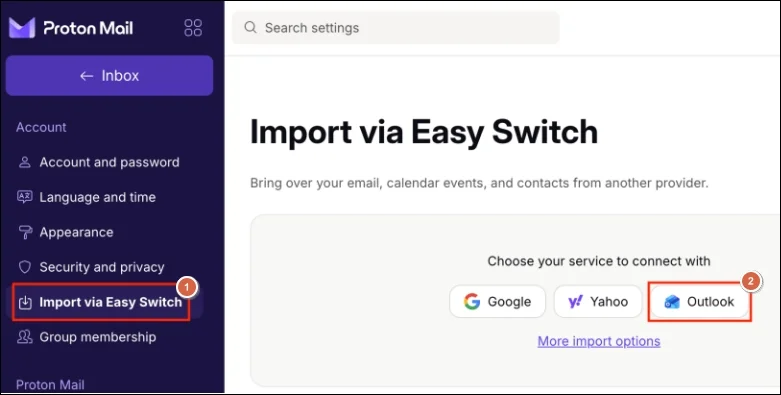
Important to know: You can take help of the Proton Mail Bridge to transfer OLM to a ProtonMail account, if you have locally or archived OLM files in your system.
Way 2. Export OLM file to Proton Mail-supported File Format Directly
Proton Mail uses EML format for email communication. That’s why it is needed to convert the OLM file to EML format if you want to access the OLM data in Proton Mail directly. It is possible only with the help of a smart OLM converter that can bring you successful results with minimum data loss.
Recoveryfix OLM converter is one name that can help you with the desired results in simple steps without any technical expertise. It allows you to export complete mailbox items, like emails, attachments, contacts, calendar, etc., into EML & other formats, like PST, etc. With the help of the tool’s advanced filters, you can get structured & specific data at the desired destination.
Look at the steps below for direct conversion:
Step 1. Launch the software & click on the Add OLM files.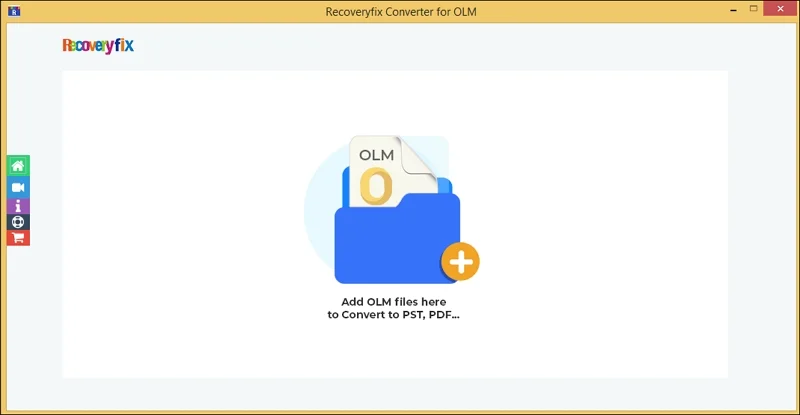
Step 2. Choose the OLM files & then tap on Set Filter and Migrate.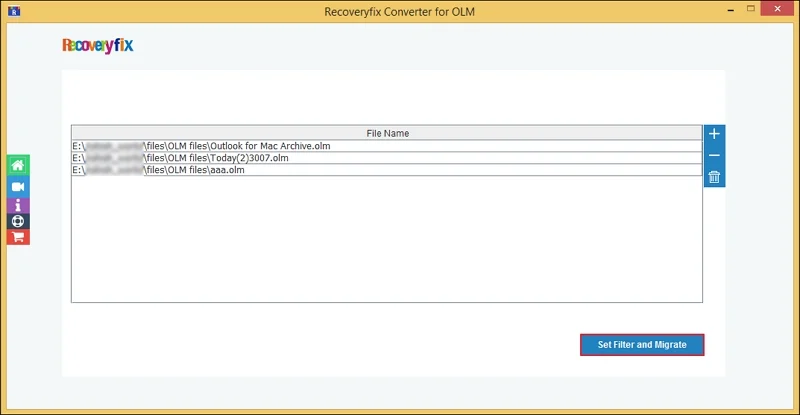
Step 3. Select the OLM files conversion & hit OK.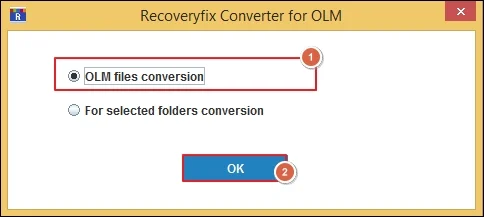
Step 4. Select the needed filters like Date Filter, Item Type Filter, etc & tap on Start Migration.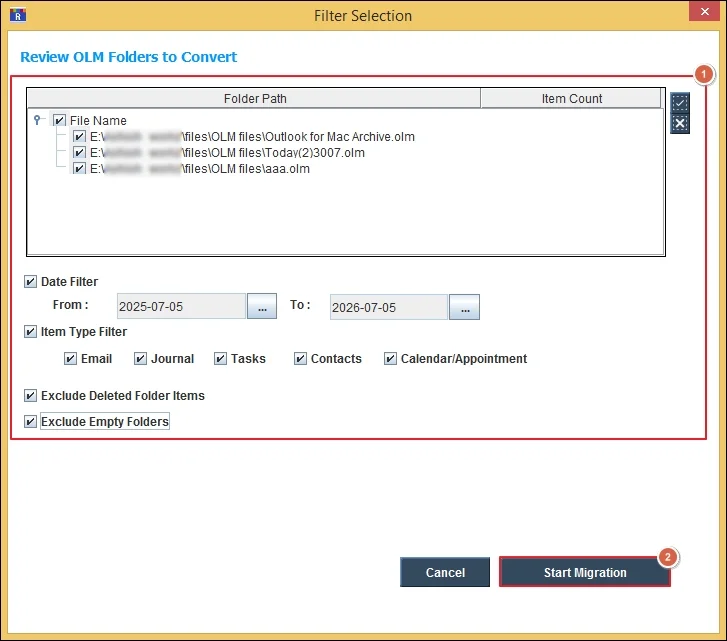
Step 5. Choose the EML format, browse the saving location & tap OK.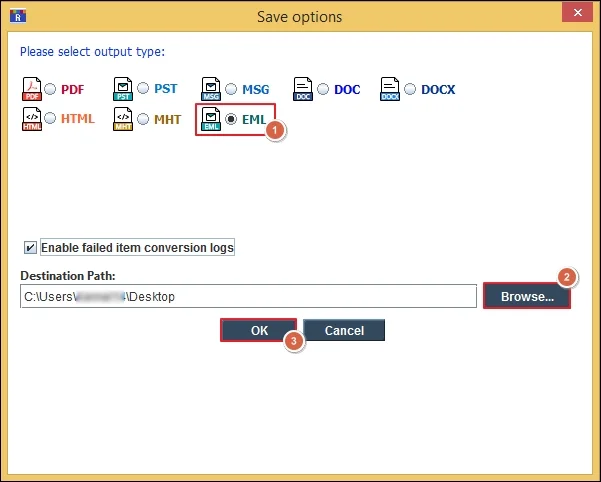
Step 6. OLM to EML conversion starts now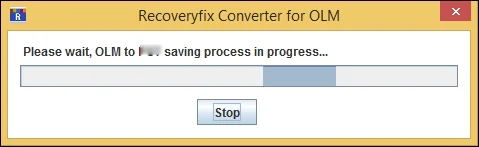
Step 7. Access the file location directly once the conversion process is completed.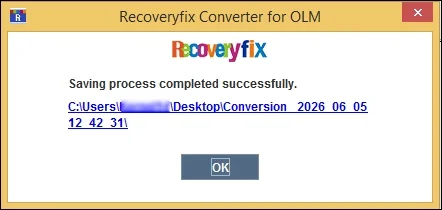
What Should You Prefer for a Successful Migration?
Take the help of the below practices & ensure the successful migration of OLM to Proton Mail.
- Verify source data [OLM file] before migration.
- Test with the small mailbox before the entire migration.
- Maintain backup copies until migration verification is completed.
- Validate migrated data like email count, attachments, folder hierarchy, & message dates, etc.
Concluding Words to Migrate OLM to Proton Mail
Plan your OLM to Proton Mail process according to the steps discussed in the write-up. Apart from that, follow the provided suggestions for a hassle-free transfer. But if you need the direct & quick approach, check out our tool. You can also explore its free trial version to ensure the tool’s credibility before purchase.