Outlook is one of the most popular applications of the Microsoft 365 suite. Its advanced set of features is the main reason behind its preference. However, several situations arise in an organization where they need to access the data of one email account from a different system. This leads them to think twice because Outlook creates OST files to store and allows offline accessibility to its users.
These OST files cannot be directly opened on another system. To do so, users have to export the OST file to PST format since these files can be easily imported or exported from Outlook. Here, we will provide a complete step-by-step guide on how to convert an OST file to PST without Outlook conveniently, along with significant reasons to do so.
Why do I convert OST file to PST?
Here is the list of different reasons that motivate users to convert OST files to PST:
- PST files can be easily accessed on the Exchange server.
- Storing mailbox data in PST as a backup is the most convenient and secure way.
- It also comes with data encryption, which provides additional security to PST files.
- OST files aren’t directly accessible to another system’s Outlook compared to PST files.
- Migrating mailbox data from one system to another system for organization purposes.
Challenges with manual methods to export OST files to PST
There are native solutions that can help you export OST files to PST with the help of Outlook. However, the limitations involved might make them incompatible in certain situations. Here, we have listed some major ones:
- Can't perform the conversion for corrupted OST files.
- Data loss situations might occur after conversion.
- Offers less control over the conversion process.
- Accessing OST files offline is possible, but their conversion is not.
- Time-consuming tasks for large OST files might disturb their integrity.
- Need to perform several steps that require technical expertise.
Reliable way to convert OST file to PST without Outlook
By now, you are aware of the conditions where performing the conversion process might be challenging. But with the automated options, these limitations can be handled effectively with 100% accuracy.
While considering the advanced ones, Recoveryfix OST to PST Pro can be the best option in this category as it offers easy & straightforward OST conversion without Outlook. But to use the tool, you need the healthy OST files. Apart from that, the tool's innovative and easy-to-use interface makes it the first choice for users.
Here are the steps to easily convert OST file to PST without Outlook.
Step 1. Install & launch the software. Select OST to PST Pro. 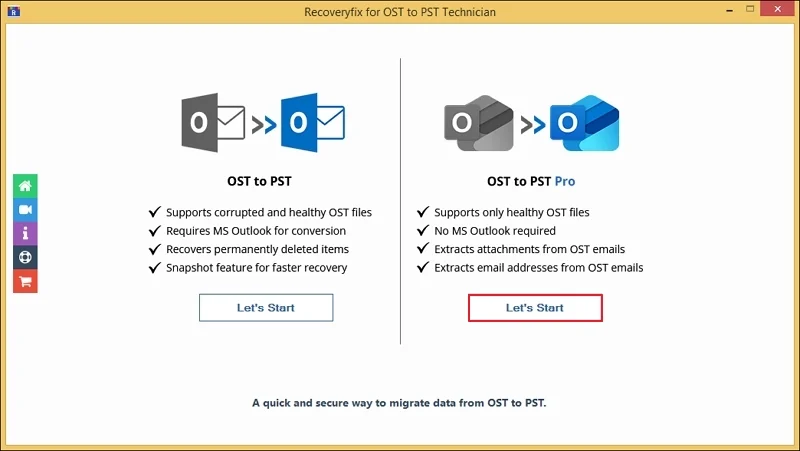
Step 2. Browse to choose the desired OST files and hit the Add files option.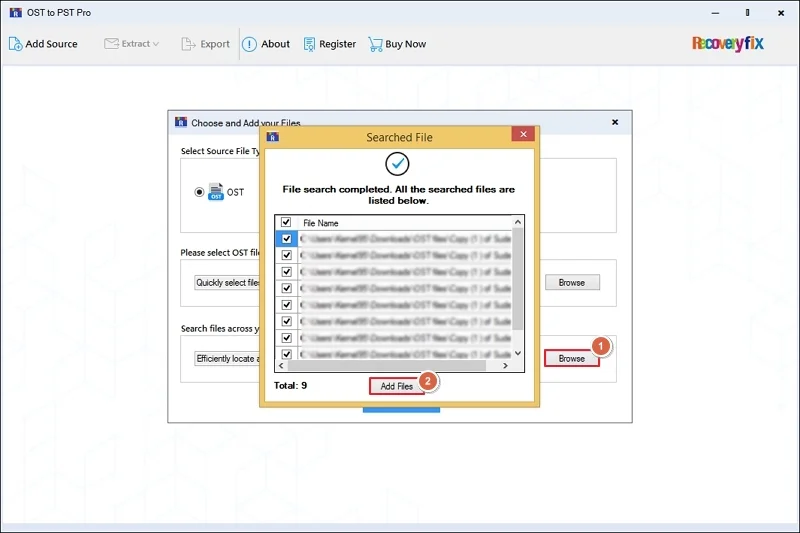
Step 3. Verify the mailbox items & choose the necessary mailbox folders. Hit the Export option. 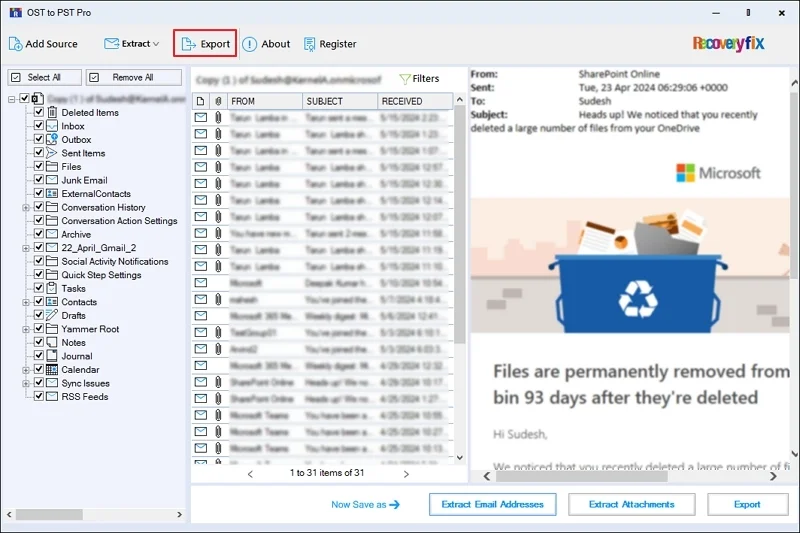
Step 4. Select the PST file as output format, choose export option [Split PST after, Skip empty folders, etc], date filter, & browse the destination path. Then, click on the Export option.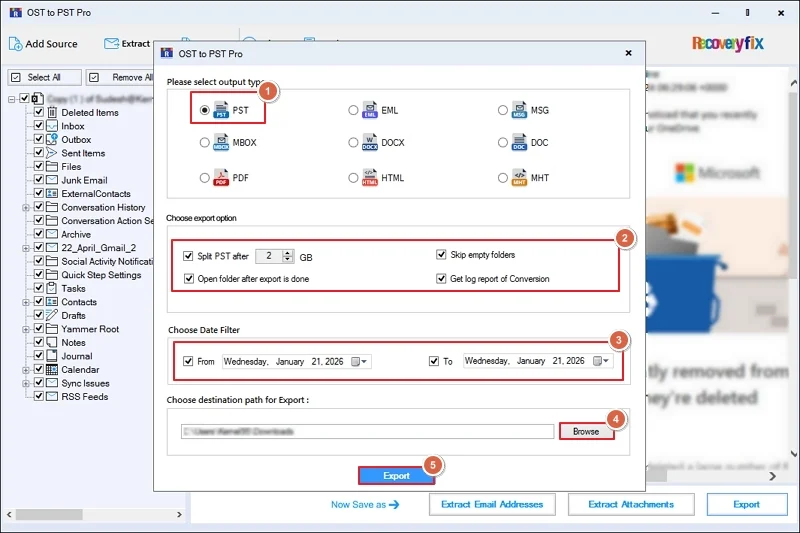
Step 5. It will start the OST file to PST conversion without Outlook.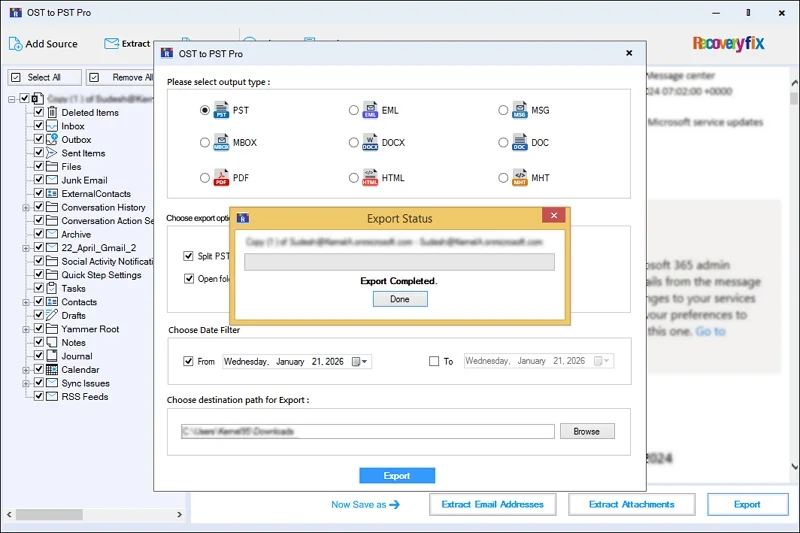
Step 6. Once done, access the OST file location directly. 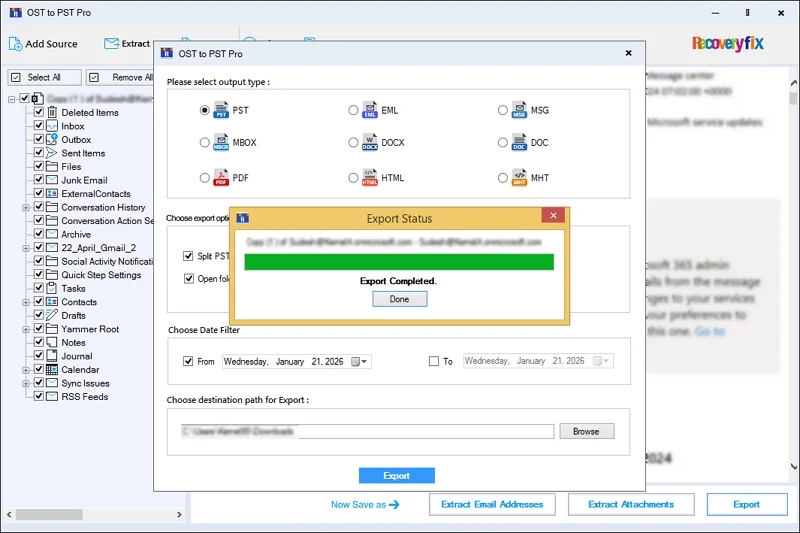
Top Features of the Advanced OST Converter Pro
Look at the tool's best services that will help you in a smooth OST file to PST conversion.
- Select the desired OST file data for conversion with the filters like From, To, CC, BCC, etc.
- Shows a preview of the entire email content before conversion.
- Splits large-sized resultant PST files into multiple smaller files.
- Maintains the original data hierarchy throughout the conversion.
- Supports OST conversion in different formats [MBOX, MSG, EML, etc.]
- Offers advanced filtering options like a date filter for structured output at the destination.
- Extract the desired email attachments with the filters to the specified location.
- Get a list of needed email addresses & save them in multiple formats like XLSX, CSV, etc.
- Run the OST converter Pro version without any prior Outlook installation.
Convert OST file to PST without Outlook: Sum up
I hope that this easy write-up has helped you with all the necessary information to convert OST files to PST, from reasons to a complete stepwise approach. Go with the provided steps for a high success rate with zero data loss. Download its free trial version now to explore its core features.
Frequently Asked Questions – Convert OST file to PST
Q1. Why should I use this utility to export OST file to PST format?
Ans. The tool ensures complete security and data integrity while performing OST conversion. Besides that, it offers several advanced features for your assistance.
Q2. Can I convert bulk OST files to PST format?
Ans. Yes, you can easily add multiple files and convert them into PST format without any hassle.
Q3. Does this software help in converting the corrupted OST files?
Ans. Yes. With the standard OST file to PST converter, you can instantly repair the corrupt files and convert them into the desired format. But you need Outlook to run the tool.
Q4. Does the OST file to PST conversion modify the original data hierarchy?
Ans. No. The tool creates a separate PST copy without altering the original OST file content.