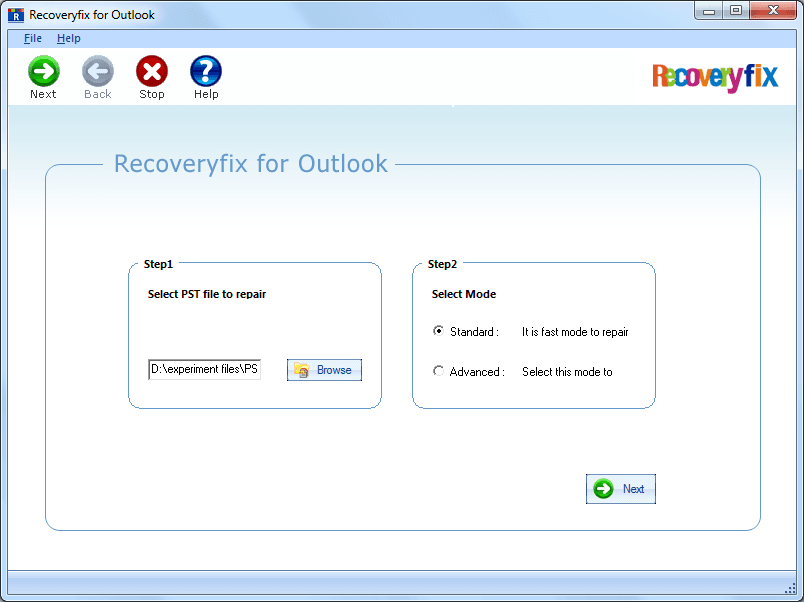
Home page Outlook PST Repair tool.
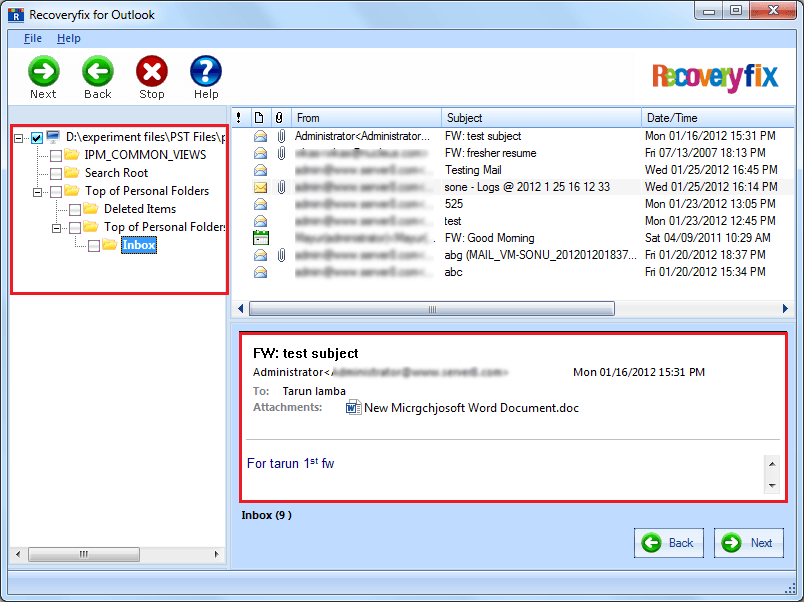
Preview of selected files/ folders in the PST Repair tool.
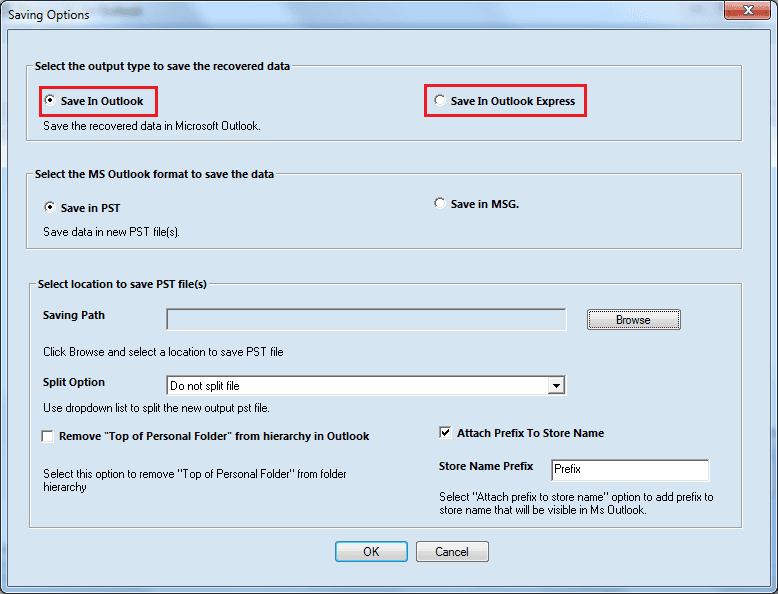
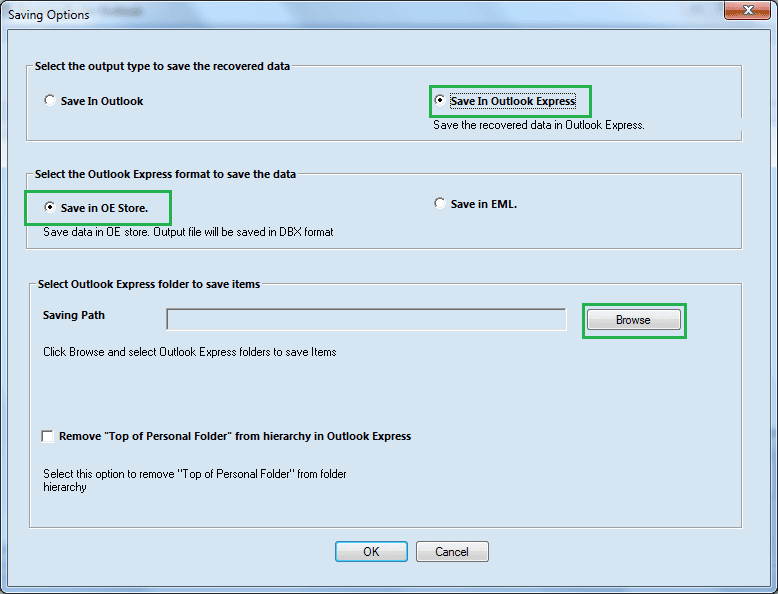
The repaired files can be saved both in Outlook and Outlook Express.
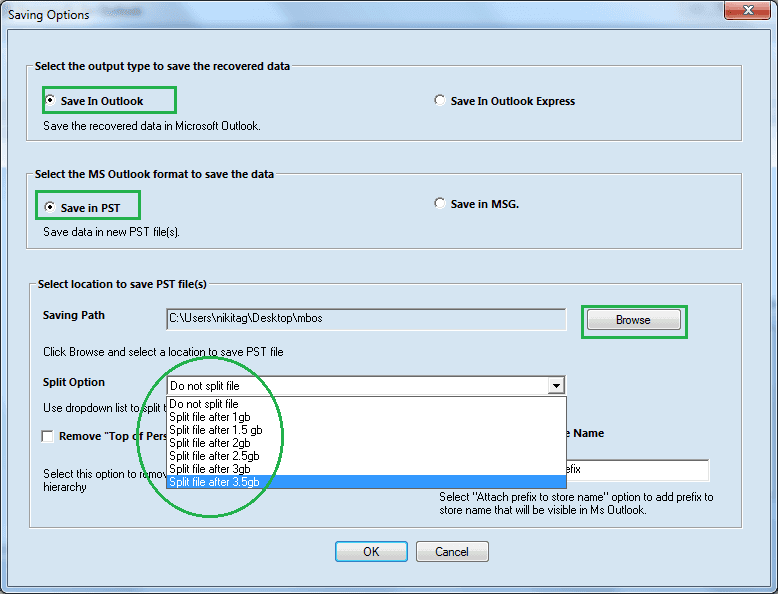
Saving in PST after spliting in different sizes.
Under Outlook Express, the files can be saved in OE store or in EML format..
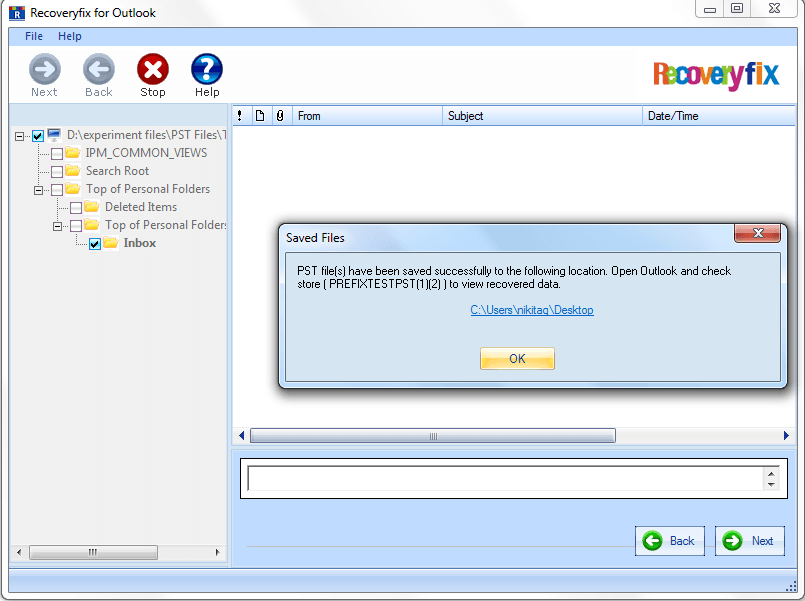
Succesfful completion message once recovery is done.


 +91-9818718513
 support@recoveryfix.com